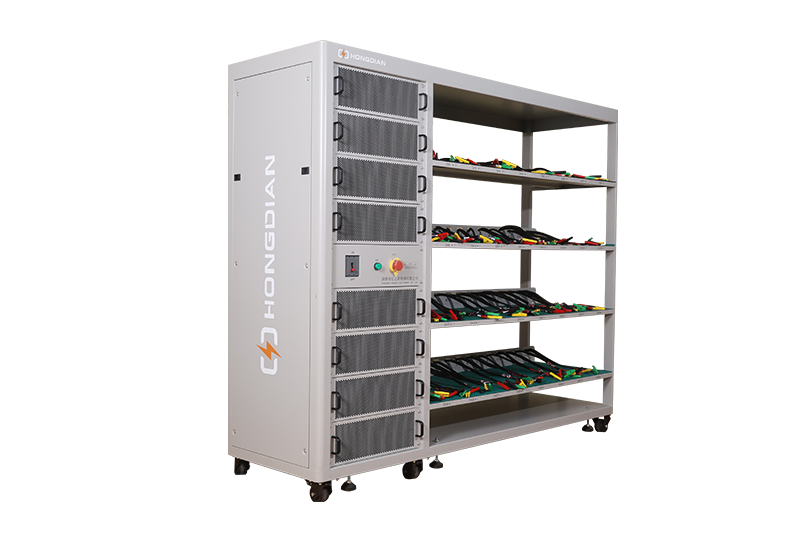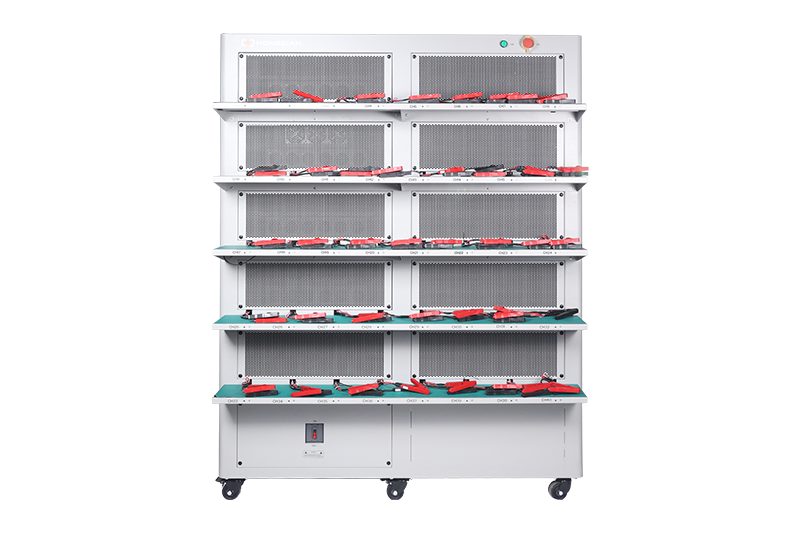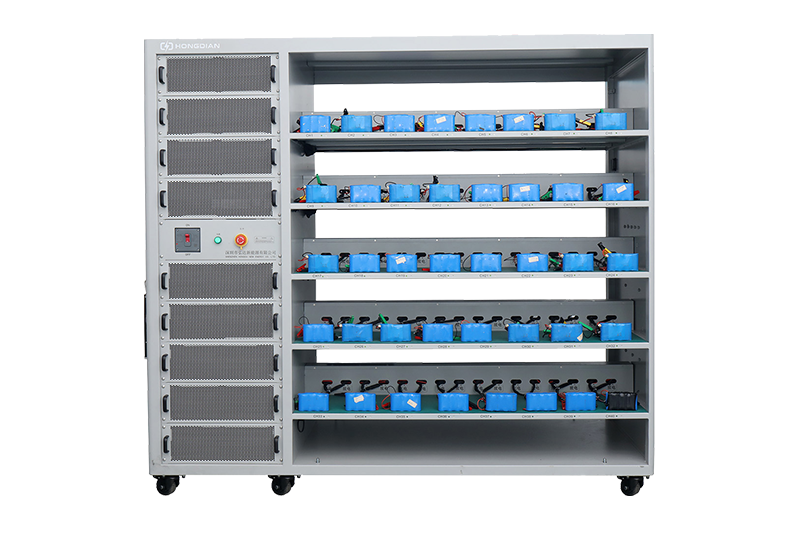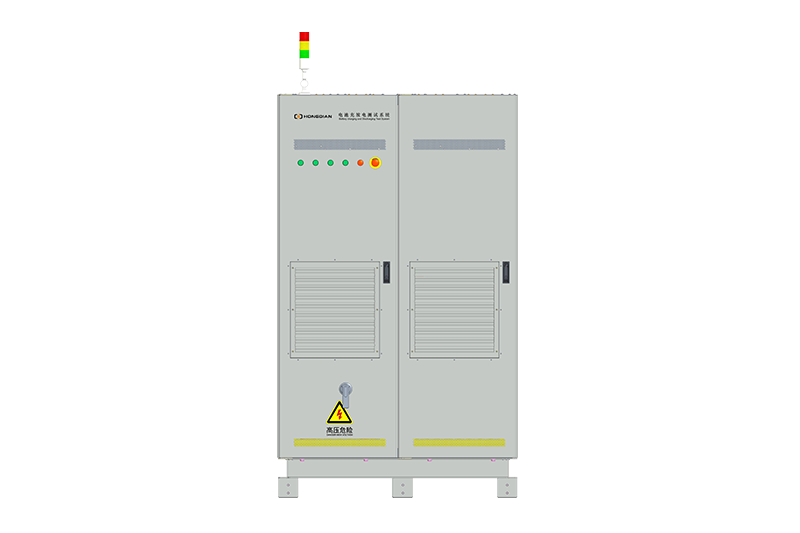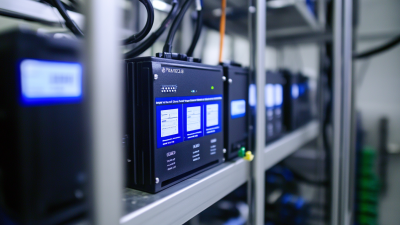
32/48 channel battery charging and discharging test integrated battery cabinet
40 channel battery charging and discharging test integrated battery cabinet
64 channel battery charging and discharging test integrated battery cabinet
80 channel battery charging and discharging test integrated battery cabinet

In the rapidly changing world of renewable energy and power management, knowing how to make good use of a Battery Monitor has become pretty important—for both homeowners and industry folks alike. I mean, according to John Mitchell, who's a real authority on battery tech and the CEO of PowerTech Innovations, a Battery Monitor isn’t just some gadget; it’s basically your ticket to getting the most out of your energy and making your batteries last longer. That really highlights how important it is to make the most of new tech to keep efficiency high and waste low.
As we get into the top 10 tips for using a Battery Monitor like a pro, our goal is to share practical advice that actually helps you get more out of your setup. These little nuggets of knowledge will give you the confidence to manage your energy better—whether you're just a homeowner with solar panels or someone working in the energy industry. Understanding how these monitors work can really make a difference in day-to-day stuff. So, let’s dive into these key strategies and see how you can unlock the full potential of your energy systems!
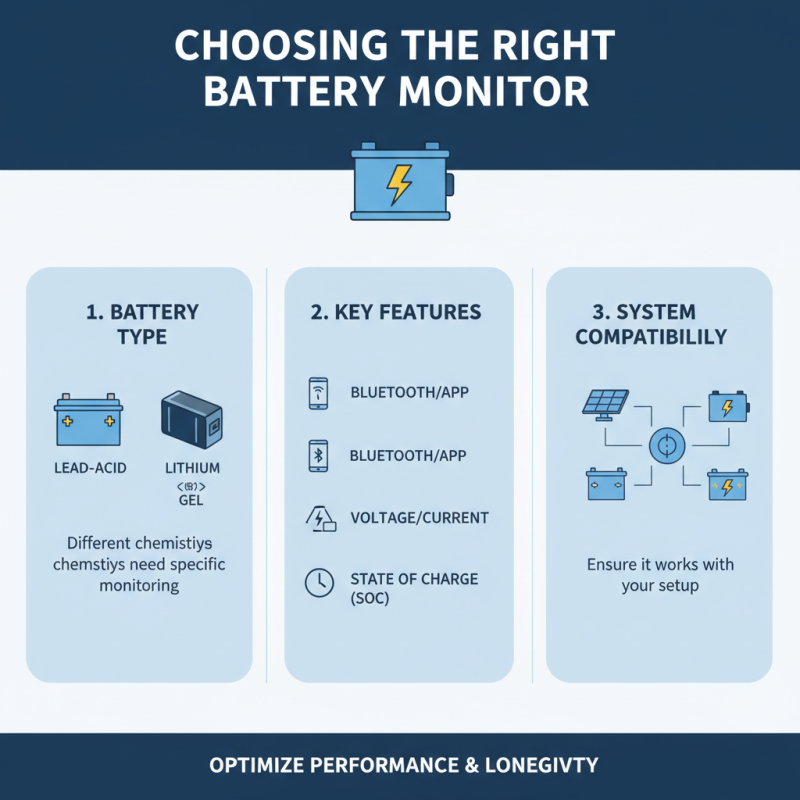
Choosing the right battery monitor is crucial for ensuring optimal performance and longevity of your battery system. When selecting a monitor, first consider the type of battery you are using. Different chemistries, such as lead-acid, lithium, or gel, have varying charging and discharging characteristics that can influence the reading and measurements provided by the monitor. Understanding these nuances will help you choose a device that is precisely designed to meet the specifications and requirements of your battery type.
Next, assess the features that matter most to you. Some battery monitors offer basic voltage and current readings, while others provide advanced metrics such as state of charge, state of health, and historical data logs. If you have a complex system with multiple batteries, look for devices that allow for monitoring multiple cells independently, providing greater insight into your battery array's overall health. Additionally, ensure the monitor you choose is compatible with your existing setup, whether that includes connectivity options like Bluetooth or Wi-Fi for remote monitoring or compatibility with specific gauges and alert systems. By thoughtfully considering these factors, you can make an informed decision that enhances your battery maintenance and performance.
Understanding battery voltage and state of charge is crucial for maintaining the health and longevity of various battery systems. A battery’s voltage is a direct indicator of its charge level; generally, a fully charged lead-acid battery will show a voltage between 12.6 to 12.8 volts while a depleted battery will drop below 12.0 volts. According to industry reports from the Battery Council International, maintaining batteries at optimal voltage levels can extend their life by up to 30%. This highlights the importance of using a battery monitor that provides real-time voltage readings, enabling users to make informed decisions about battery management.
Moreover, the state of charge (SoC) of a battery encompasses more than just voltage; it reflects the capacity the battery has left to deliver. SoC is expressed as a percentage, and studies indicate that keeping a battery charged between 20% to 80% can substantially improve performance and lifespan. High-quality battery monitors often incorporate advanced algorithms to calculate SoC more accurately, taking into account factors like temperature and discharge rates. The National Renewable Energy Laboratory has reported that using sophisticated battery monitoring systems can reduce the incidence of over-discharge by nearly 50%, thereby ensuring that batteries operate safely and efficiently. Understanding these metrics not only aids in proper battery management but is essential for optimizing energy systems for renewable energy applications, electric vehicles, and more.
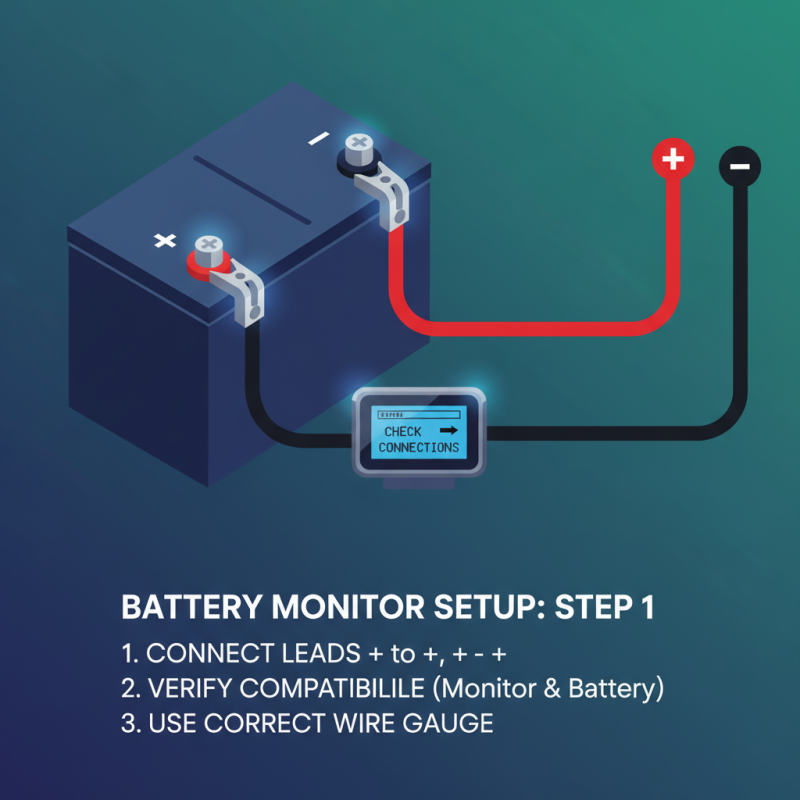
When setting up your battery monitor, the first step is to ensure that it is appropriately connected to your battery system. This typically involves securing the monitor's positive and negative leads to the corresponding terminals of the battery. It is crucial to check the specifications of both the monitor and the battery to ensure compatibility, as incorrect connections can lead to inaccurate readings or potential damage. Additionally, paying attention to the recommended wire gauge for connections can enhance the accuracy of monitoring and prolong the lifespan of both the monitor and the battery.
Once connected, calibrating your battery monitor is essential for achieving precise measurements. Many monitors come with a calibration feature that allows you to set the baseline for voltage and capacity. It's advisable to refer to the user manual for specific calibration steps. During this process, ensure your battery is fully charged and at rest to obtain the most accurate readings. Monitoring the parameters such as state of charge, voltage, and current flow becomes significantly more effective when these initial setup steps are executed correctly, leading to better battery management and longevity.
Interpreting battery monitor readings effectively is crucial for maximizing the lifespan and performance of your battery system. According to a report from the Battery University, understanding the state of charge (SOC) is essential for any battery maintenance strategy. A battery monitor typically displays the SOC as a percentage, indicating how much energy remains compared to its total capacity. Keeping the battery within the optimal SOC range, usually between 20% and 80%, can significantly improve its longevity by reducing stress and preventing sulfation in lead-acid batteries.
Additionally, voltage readings provided by battery monitors are key indicators of battery health. A fully charged lead-acid battery should show a voltage of approximately 12.6 volts, but if readings drop below 12.4 volts, it may be time for a recharge. A study published in the Journal of Power Sources indicates that maintaining proper voltage levels is directly correlated with battery cycle life. Regularly checking these readings can prevent unexpected failures and ensure that the battery operates efficiently, ultimately saving costs in replacement and repairs. Thus, integrating these interpretations into your routine monitoring practices can yield considerable benefits in battery management.
| Tip Number | Tip Description | Important Metrics | Reading Interpretation |
|---|---|---|---|
| 1 | Check voltage regularly | Volts (V) | Above 12.6V is considered a full charge. |
| 2 | Monitor state of charge | Percentage (%) | 60%-100% is optimal for battery performance. |
| 3 | Check for voltage drops | Volts (V) | A significant drop can indicate failing cells. |
| 4 | Understand the discharge rate | Amperes (A) | High discharge may indicate overloading. |
| 5 | Use a comprehensive battery monitor | Multiple metrics | Provides greater insights into battery health. |
| 6 | Calibrate your monitor | Calibration Procedure | Ensures accurate readings over time. |
| 7 | Watch for temperature effects | Degrees Celsius (°C) | Heat can affect battery performance. |
| 8 | Perform regular maintenance | Maintenance Checklist | Keeping terminals clean enhances connectivity. |
| 9 | Use alerts and notifications | Alerts Setup | Helps prevent over-discharge. |
| 10 | Educate on battery types | Battery Types | Different batteries have different characteristics. |
Regular maintenance of battery monitors is crucial for ensuring optimal performance and longevity of battery systems. According to a report by the Institute of Electrical and Electronics Engineers (IEEE), regular checks can enhance battery life by up to 30%. One of the fundamental maintenance practices is to keep the monitor’s connections clean and free from corrosion. Corrosion can impede the flow of electricity and provide inaccurate readings, leading to potential over-discharge or under-utilization of battery capacity. Using a soft cloth and appropriate cleaning agents can effectively maintain these connections.
Additionally, it is essential to regularly calibrate the battery monitor to ensure accuracy. Studies by the Battery University indicate that miscalibration can result in discrepancies of up to 20% in charge level readings. Calibration should be performed at least once every six months, or whenever the system undergoes significant changes, such as a battery replacement. Keeping a detailed log of these calibrations and maintenance can help in tracking performance trends and diagnosing potential issues before they escalate, ensuring that the battery monitor remains a reliable tool in energy management.
When using a battery monitor, effectively utilizing alerts and notifications can greatly enhance your ability to maintain battery health. Timely alerts can inform you of critical changes in battery status, including low voltage levels or high temperature warnings. Many monitors allow you to customize these notifications, so you can prioritize alerts that matter most to your context. This customization helps in ensuring that you are promptly informed without being overwhelmed by unnecessary notifications.
Notifications can also serve as reminders for routine maintenance checks and charging cycles. Setting up alerts for regular intervals encourages you to keep an eye on battery performance, allowing for proactive management. For example, receiving a notification when the battery discharge reaches a certain percentage prompts you to recharge before it falls to a critical level. In this way, integrating alerts into your battery monitoring routine not only protects the battery’s lifespan but also promotes efficient energy management overall.
Integrating battery monitors with other power management tools is a critical step for optimizing energy usage and prolonging battery life. According to a 2022 report by the International Renewable Energy Agency (IRENA), effective energy management can reduce operational costs by up to 25%. Using battery monitors in conjunction with tools like solar inverters and smart energy management systems allows users to gain real-time insights into energy consumption and storage levels. This integration not only ensures efficient energy utilization but also helps in forecasting energy needs more accurately.
Additionally, fostering communication between battery monitors and devices such as charge controllers and load management systems can drastically enhance performance. Data from the U.S. Department of Energy indicates that integrating these systems can improve grid reliability and resilience by 30%. By analyzing data collected from interconnected devices, users can identify trends and make informed decisions to mitigate energy waste. Furthermore, implementing software that aggregates and analyzes this data can lead to proactive maintenance, identifying potential battery issues before they escalate. The synergy between battery monitors and power management tools establishes a robust framework for energy efficiency and sustainability, paving the way for smarter energy solutions.
Advancements in battery technology necessitate innovative testing solutions that can deliver precise performance metrics across varying voltage applications. The demand for high-precision testing systems has surged, especially for batteries rated at 30V, 60V, 100V, and 120V. According to a recent industry analysis, the global Battery Testing Equipment market is projected to grow at a compound annual growth rate (CAGR) of 6.5% through 2027, reflecting the increasing complexity of battery design as electric vehicles and renewable energy storage solutions proliferate.
The 6U battery testing cabinet stands out in this competitive landscape, capable of accommodating multiple testing scenarios with up to 8 channels. This feature is particularly significant for researchers and manufacturers who require large-scale testing capabilities to evaluate battery performance comprehensively. The system’s versatility allows it to manage various voltage levels, ensuring that it can adapt to different requirements, from electric vehicle battery packs to grid-scale energy storage solutions. Market data reveals that as battery capacities and power demands increase, the ability to conduct high-precision tests becomes crucial in minimizing risks and improving overall efficiency.
Utilizing advanced testing frameworks ensures that manufacturers can not only comply with safety standards but also push the boundaries of battery technology. Enhanced testing accuracy leads to faster innovations, as companies are better equipped to identify issues and optimize battery performance. In this evolving landscape, investing in high-precision battery testing systems like the 6U cabinet is not merely a choice but a necessity for staying competitive in the high-stakes energy market.
: Battery voltage is a direct indicator of the charge level; a fully charged lead-acid battery typically shows voltages between 12.6 to 12.8 volts, while a depleted battery drops below 12.0 volts.
Maintaining batteries at optimal voltage levels can extend their life by up to 30%, according to industry reports, highlighting the importance of monitoring battery voltage effectively.
The state of charge (SoC) reflects the remaining capacity a battery can deliver, expressed as a percentage; keeping a battery charged between 20% to 80% can improve performance and lifespan significantly.
Correctly setting up a battery monitor ensures accurate readings and prevents potential damage; it involves securely connecting the monitor to the battery's positive and negative terminals.
To calibrate a battery monitor, ensure the battery is fully charged and at rest, and follow the user manual for specific calibration steps to achieve precise measurements.
Battery monitor readings, such as state of charge and voltage levels, should be regularly checked and interpreted to prevent unexpected failures and improve battery longevity by maintaining optimal operating ranges.
The optimal range for state of charge is typically between 20% and 80%, which significantly reduces stress and prevents sulfation in lead-acid batteries.
If the voltage of a lead-acid battery drops below 12.4 volts, it may be time to recharge the battery to maintain its health.
Advanced battery monitors can significantly reduce the incidence of over-discharge, ensuring safe and efficient battery operation, which is crucial for reliable performance.
Routine monitoring of parameters like state of charge, voltage, and current flow helps in better battery management and longevity, ultimately saving costs on replacements and repairs.
In today's energy-conscious world, effectively using a Battery Monitor is crucial for maintaining optimal battery performance. Start by choosing the right Battery Monitor that suits your specific needs, considering factors such as battery type and usage. Understanding the basics of battery voltage and state of charge will help you set up your Battery Monitor correctly and interpret its readings effectively.
Regular maintenance is essential for ensuring the longevity and accuracy of your Battery Monitor. Utilize alerts and notifications to stay informed about your battery health, and consider integrating your Battery Monitor with other power management tools for a comprehensive energy management system. By following these essential tips, you can maximize the efficiency and lifespan of your battery setup.