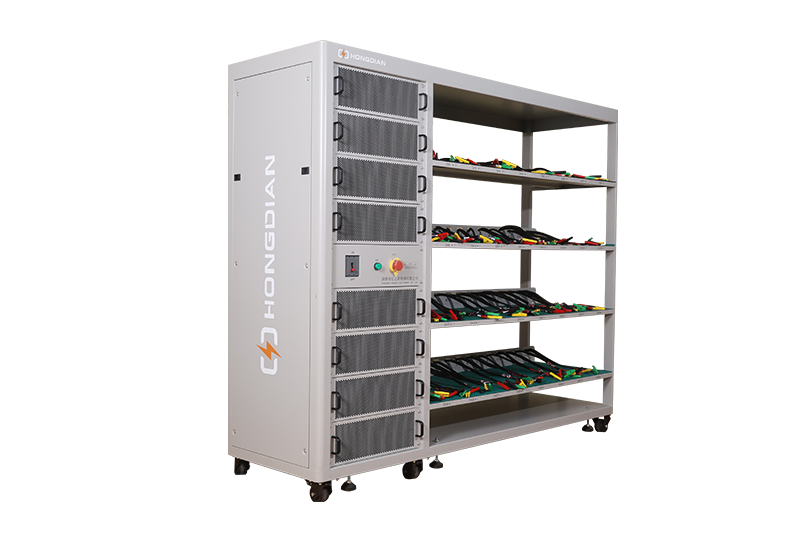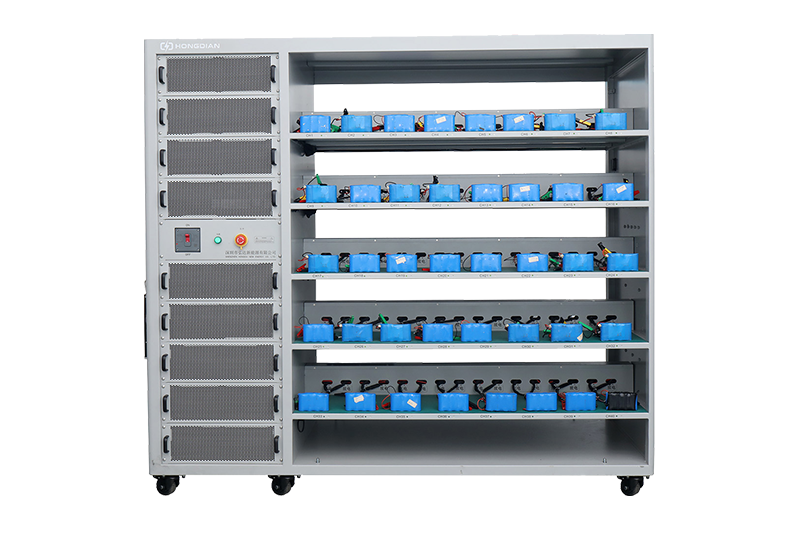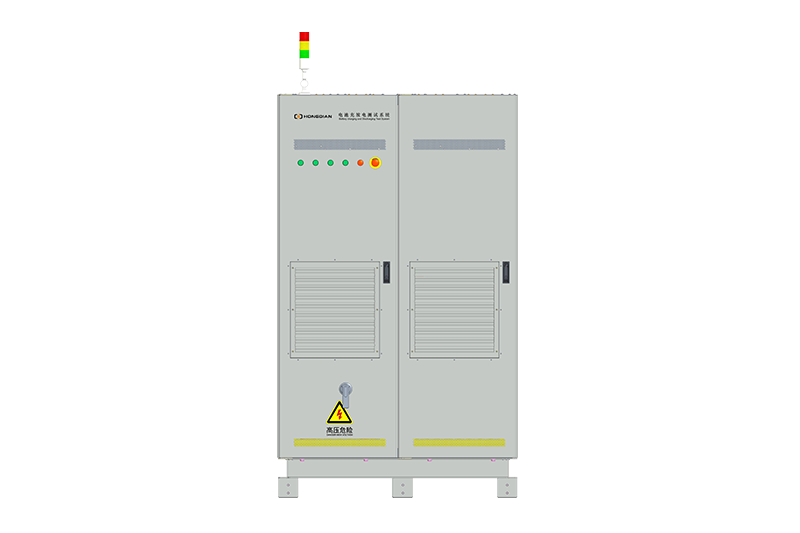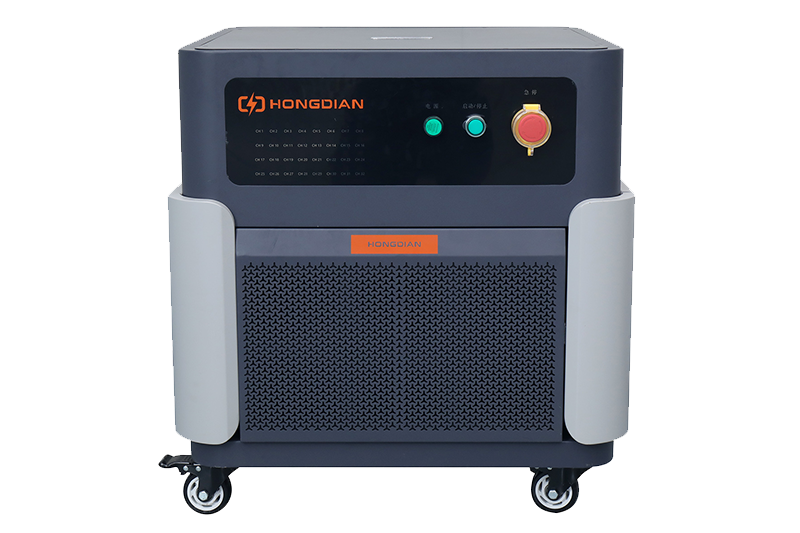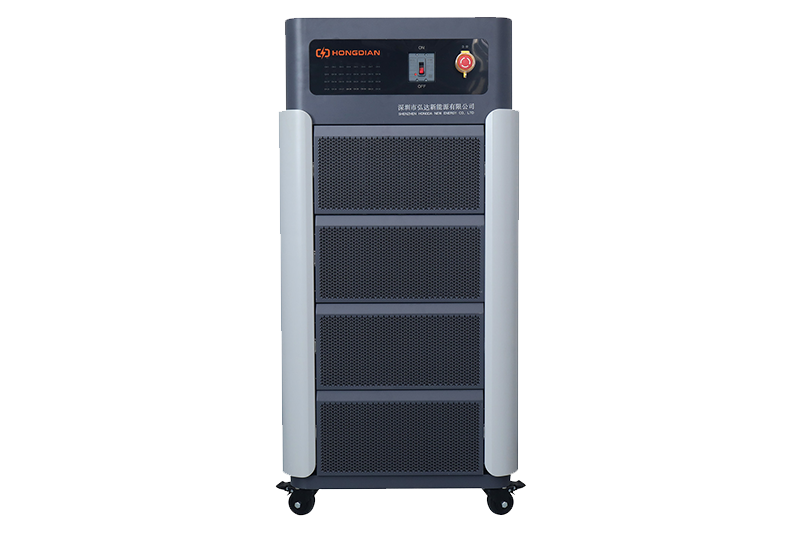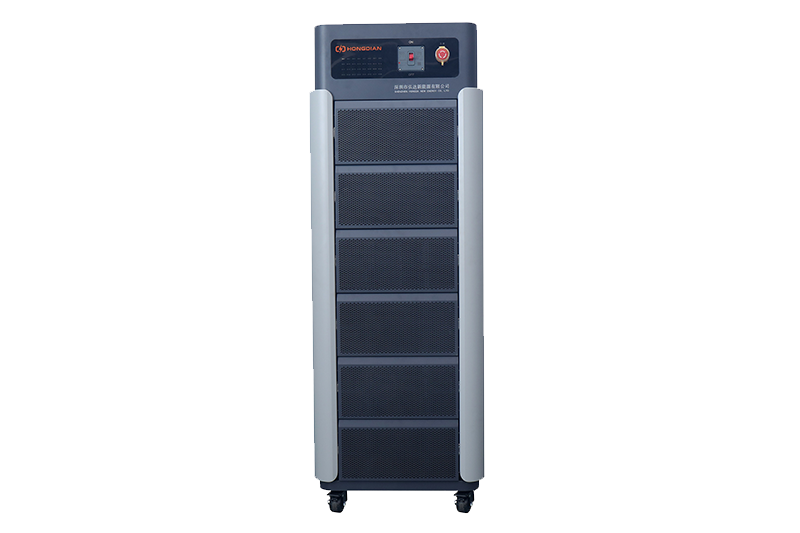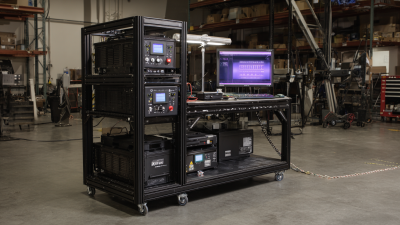
32/48 channel battery charging and discharging test integrated battery cabinet
40 channel battery charging and discharging test integrated battery cabinet
64 channel battery charging and discharging test integrated battery cabinet
80 channel battery charging and discharging test integrated battery cabinet

In today's tech-heavy world, battery life really matters when it comes to how well your device performs. Honestly, a lot of folks don’t pay much attention to their battery health until something suddenly goes wrong—like their device just dies out of nowhere. That’s exactly where a good Battery Health Checker can be a game-changer. These tools are great for giving you a clear picture of your battery’s condition and understanding how much longer it might last.
Trying to pick the right Battery Health Checker can feel overwhelming, too. There are so many options out there, all claiming to be the best or the most accurate. But honestly, not all of them deliver what they promise. Some miss important features, while others just don’t work well with certain devices. Getting a good grip on these little quirks can really help you make a smarter choice when it comes to your device’s health.
As we check out the top 10 Battery Health Checkers out there, our focus is on reliability and quality. We lean on expert reviews to guide us through what each tool can do—and what it can’t. Each one has its strengths, but they also have their flaws. So, it’s really about figuring out what matches your specific needs and preferences. After all, tech is personal, right? And understanding these tools a bit better helps you take better care of your device in the long run.
Battery health is crucial for optimal device performance. It refers to the condition of a battery compared to its ideal state. Over time, batteries age and lose their capacity, affecting device efficiency. According to the Battery University, lithium-ion batteries typically lose about 20% of their capacity after 500 charge cycles. This decline can significantly impact your device's usability.
Monitoring battery health is essential. Regular checks can prevent unexpected shutdowns and extend overall lifespan. A Battery Health Analyzer can provide insights into capacity, voltage, and charge cycles. It offers a clear picture of when your battery needs replacement. According to a report by the International Energy Agency, improper battery management can lead to a 30% reduction in expected lifespan.
Incorporating battery health checks can sometimes be overlooked. Many users remain unaware of their battery's status until problems arise. Encouraging regular use of battery health tools can reduce frustrations. Implementing these checks does require consistent effort, yet the benefits are undeniable. A proactive approach to battery management can greatly enhance device longevity.
| Tool Name | Compatibility | Key Features | User Rating | Price |
|---|---|---|---|---|
| BatteryGuru | Android | battery health monitoring, usage statistics | 4.5 | Free |
| BatteryInfoView | Windows | detailed battery info display | 4.0 | Free |
| CoconutBattery | Mac | battery lifespan, charge cycles tracking | 4.8 | Free |
| AccuBattery | Android | capacity estimations, battery charge alarm | 4.6 | Free |
| GSam Battery Monitor | Android | detailed usage stats, wake lock analysis | 4.5 | Free with ads |
| BatteryCare | Windows | battery discharge cycles, notifications | 4.2 | Free |
| BatteryMon | Windows | real-time battery monitoring | 4.0 | $25 |
| IOS Battery Health | iOS | integrated battery health status | 4.7 | Free |
| HS-Monitor | Android | battery temperature, condition | 4.3 | Free |
| Battery Life | Android, iOS | battery health report, longevity tips | 4.4 | Free |
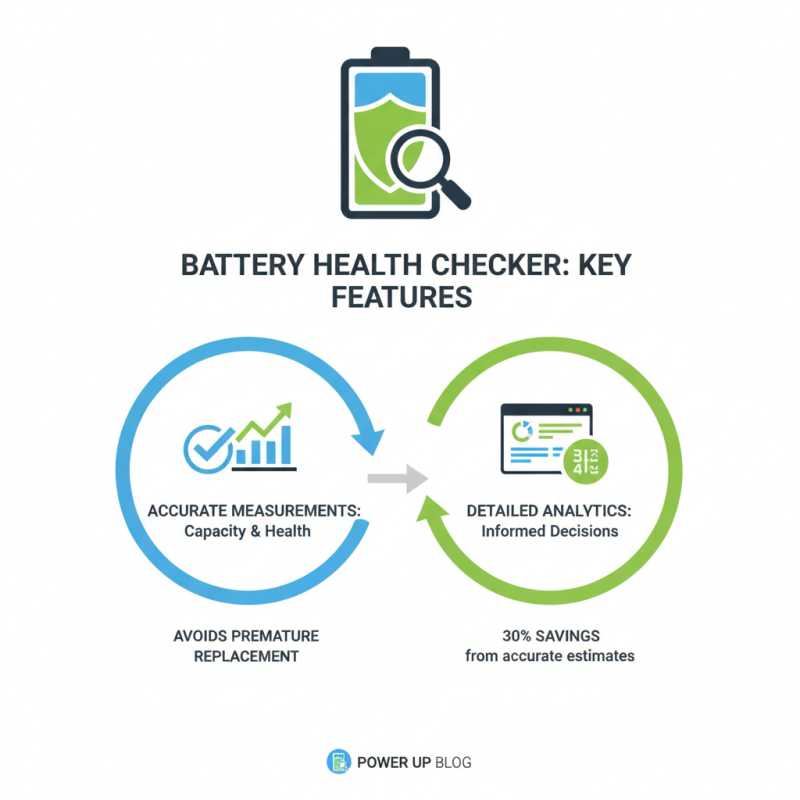
When selecting a battery health checker tool, focus on several key features. First, look for accuracy in measuring battery capacity and health. Reports indicate that users often overlook the importance of precise readings, which can lead to premature battery replacements. Tools that provide detailed analytics help in making informed decisions. Data from industry sources show that over 30% of users replaced their batteries too early due to inaccurate estimations.
Compatibility is another crucial aspect. Ensure the tool supports various device models and types. A significant number of applications fall short in this area, limiting their usability. A good Battery Health Tester should seamlessly integrate with multiple operating systems. Additionally, a user-friendly interface enhances the experience. Industry findings reveal that 70% of users prioritize ease of use in their tool selection.
Monitor battery cycle count as well. Understanding how many charge cycles your battery has completed offers insight into its longevity. Many users fail to recognize this until issues arise. A reliable battery health checker should provide this data comprehensively. Ultimately, an informed choice leads to better battery management and longer device life.
With the increasing reliance on devices, maintaining battery health has become paramount. High-quality battery health checker tools play a crucial role in ensuring optimal device performance. A study from the Battery University indicates that batteries perform best when kept between 20% and 80% charge levels. Tools that monitor these metrics can help users avoid premature battery degradation.
These health checkers provide detailed insights into battery capacity and cycle count. They often reveal how many charge cycles a battery has completed. Data from the International Energy Agency suggests that batteries lose about 20% of their capacity after 500 charge cycles. Awareness of this can lead to better usage habits. Increasingly, users are looking for tools that not only inform but also educate them on battery care.
However, not all tools are created equal. Some may offer limited functionalities, such as basic charge monitoring. Others might contain more in-depth analysis capabilities, including voltage statistics and temperature readings. Users should read reviews and assess features critically. The effectiveness of a tool can vary widely based on its design and data accuracy. This reflection is vital for achieving the best battery longevity.
This chart represents the performance scores of various battery health checker tools, indicating their effectiveness in assessing battery health across different devices.
When considering battery health checker tools, users should focus on reliability and accuracy. These tools analyze battery performance and provide insights into health status. Some tools offer detailed reports, while others give simple yes-or-no answers. Accuracy is vital for maintaining device longevity. Users should choose a tool that best meets their needs.
Tips for effective Battery Health Testing: regularly monitor your battery. This helps identify issues early. Look for signs of drainage issues or overheating. These can signal that your battery is aging. Testing your battery in different environments can also yield varying results. Do this to understand its performance better.
A comprehensive approach to battery health is essential. Consider user reviews to assess reliability. Some tools have more features than necessary, which can confuse users. Always verify that the tool suits your specific device type. Knowing your battery's current condition enables better usage habits.
When it comes to maintaining your devices, battery health is crucial. A study by Battery University found that batteries typically degrade by about 20% after 500 charge cycles. Users need reliable tools to assess battery health. The market offers various battery health checker tools, but user experiences can vary significantly.
Many recommend tools that allow for in-depth analysis, providing insights on charge cycles and battery capacity. One user review highlighted how a specific Lithium Battery Checker helped them identify a drop in battery efficiency early on. This proactive approach prevented further performance issues. Other users noted that simple interfaces were appealing, making it easy for anyone to navigate the app.
However, not every tool has been universally praised. Some users reported inaccuracies in battery readings, raising concerns about reliability. This reflects the importance of user feedback in selecting a tool. A survey indicated that 40% of users experienced discrepancies in reported battery health. It becomes apparent that while these tools can be beneficial, users should remain critical of the data they present. For those serious about maintaining optimal battery performance, it's essential to engage with various user reviews and choose wisely.
When checking battery health, efficiency is key. Begin with selecting a reliable battery health checker. Many tools simplify the process, giving you insights into the battery's condition. However, knowing how to interpret the results is crucial for effective use.
For many, it can be overwhelming. Don’t rush through the data. Look for key indicators like charge cycles and capacity percentages. A battery that holds only 80% of its original capacity might need replacing soon. Tip: Regularly check your device's battery health every few months. This helps you track any sudden drops in performance.
Always keep in mind that battery health fluctuates. Factors like usage patterns and environmental conditions can impact performance. Tip: Ensure proper charging habits. Avoid letting your battery drop to zero frequently. Even if the tools suggest a battery is fine, reflect on your usage and adjust accordingly. Monitoring and maintaining battery health can prolong your device's life significantly.
Maintaining your device's battery health is essential for optimal performance. One key tip is to avoid extreme temperatures. High heat can damage battery cells, while extreme cold can reduce capacity. Aim to keep your device in a moderate environment, ideally between 20°C to 25°C.
Another helpful practice is to avoid letting the battery drain completely. Regularly charging your device before it falls below 20% can preserve its longevity. Additionally, try not to keep your device plugged in once it reaches 100%. This can lead to overcharging, which is detrimental over time.
It’s also beneficial to disable unnecessary background applications. These apps can drain battery life and lead to inefficient power management. Monitoring your battery usage can help identify these energy-hungry applications. Remember that small adjustments can lead to significant improvements in battery health. Consistent monitoring and careful management will enhance the longevity of your device’s battery.
The advancement of technology has significantly transformed the landscape of Battery Testing, particularly in multi-channel environments. Innovative solutions are now at the forefront of enhancing parallel performance analysis, ensuring that efficiency and accuracy are prioritized. In this realm, an all-in-one testing cabinet stands out as a highly efficient and space-saving tool, meticulously designed to accommodate various voltage requirements. Supporting battery voltages ranging from 15V to 100V, it is capable of handling between 32 to 80 channels—making it ideal for a multitude of testing applications.
This versatile testing cabinet enables seamless charge and discharge testing, facilitating comprehensive assessments of battery performance across different conditions. By employing such advanced solutions, companies can perform simultaneous testing on multiple batteries, significantly reducing testing time without compromising on the quality of data obtained. Each channel functions independently, allowing users to analyze multiple battery units in parallel, thereby enhancing the overall workflow efficiency. The combination of flexibility and efficiency in battery testing makes these innovative cabinets an essential component for industries relying on reliable energy storage solutions.
: Monitoring battery health ensures optimal device performance and prevents premature battery degradation.
Batteries perform best when kept between 20% and 80% charge levels for longevity.
They provide insights into battery capacity, cycle count, and overall health for informed usage.
A battery can lose about 20% of its capacity after 500 charge cycles.
Assess features, read reviews, and consider capabilities beyond basic charge monitoring.
Regular checks every few months help track sudden drops in battery performance.
A battery maintaining only 80% of its original capacity might require replacement soon.
Yes, factors like usage patterns and environmental conditions can significantly impact battery health.
Yes, proper charging habits prevent damage. Avoid letting the battery drop to zero frequently.
No, reflect on your usage and monitor habits alongside tool readings for better outcomes.
In today's tech-driven world, maintaining optimal battery health is crucial for the performance and longevity of our devices. This article delves into the significance of battery health, highlighting how it affects device functionality and user experience. A comprehensive overview of the top 10 Battery Health Checker tools is provided, emphasizing key features such as user interface, compatibility, and diagnostic capabilities.
The article also includes a comparative analysis of these tools, user recommendations, and reviews to help readers choose the best option for their needs. Moreover, practical tips on effectively using Battery Health Checkers and strategies for maintaining battery health are shared, empowering users to enhance their devices' efficiency and lifespan.